Introduction
Technical Prerequisites: Integration into the Einstein Trust Layer
Before the AI can be used operationally, a look at the administration of the Tableau environment (Tableau Cloud or Tableau Server) is necessary to configure the settings required for using AI.
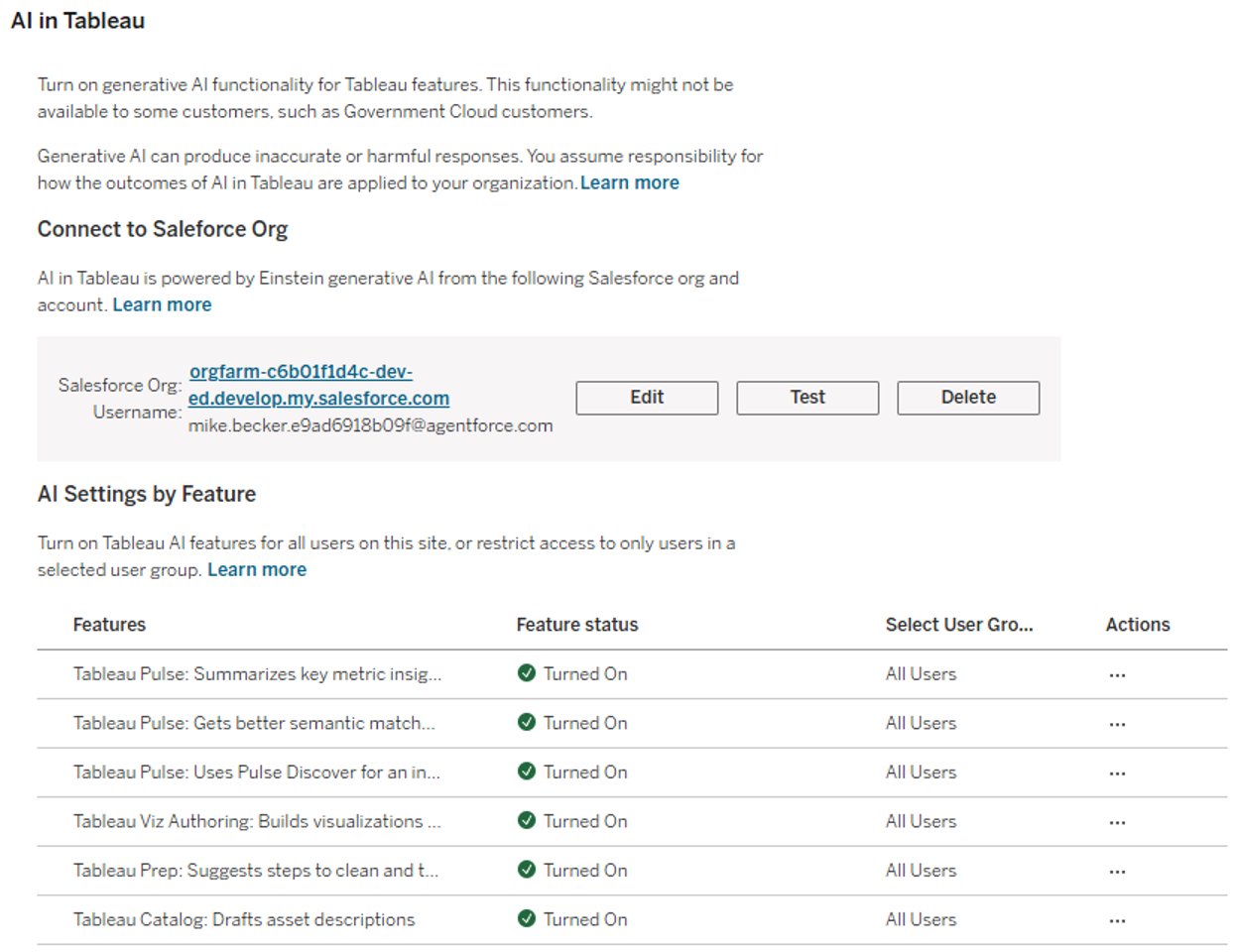
The various AI features of Tableau must be activated in this menu. For the Tableau Agent to be available in Prep , the Tableau Site must be explicitly connected to a Salesforce organization (e.g., Data Cloud). This ensures that all generative requests are processed via the Einstein Trust Layer , which guarantees data security and compliance. Only after this "handshake" are the AI features available for activation in the site settings.
The Scenario: Gaining Structure from Unstructured Data
Our first test focuses on a classic “dirty data” scenario. We are concentrating on marketing data that we have in unstructured form. The aim is to structure this data so that we can use it for later analysis. To do this, we create a new flow in the Tableau Cloud web environment and link data from a simple.csvfile.
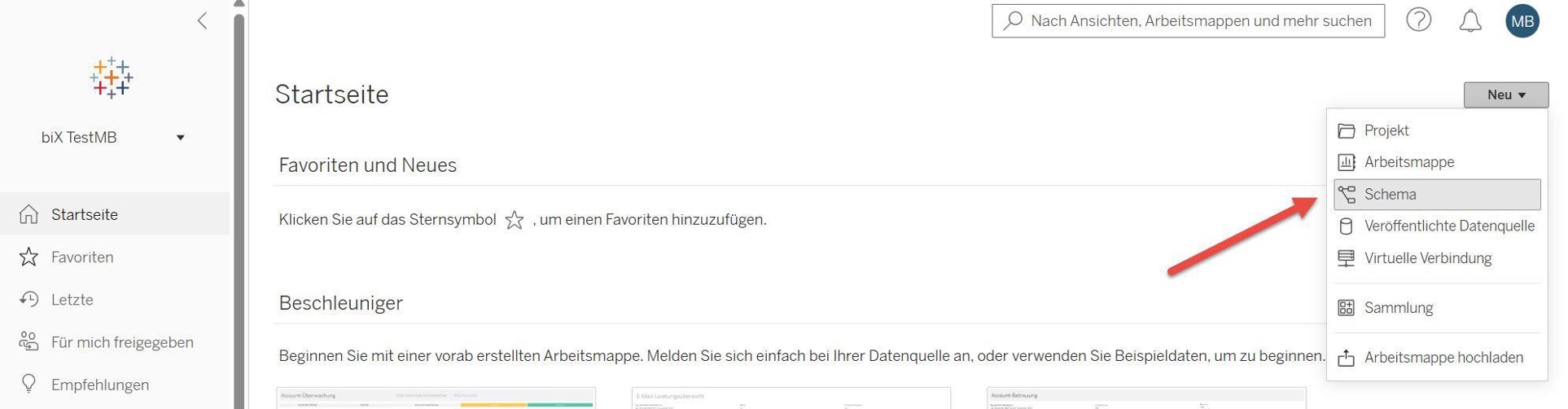
Our data set contains several columns that hold unstructured data. In the following, we will clean and structure this data with the help of the Tableau Agent.
We first look at the field
Contact_Info_Mix,
in which address components (Street, Postcode, City, Country) are aggregated without a fixed separator, e.g.:
- Data record A:
Münchner Str. 12; 80331 München (DE)
- Data record B:
456 High St | London SW1A 1AA | UK
The goal: The extraction of the postcode and the country code into dedicated columns so that they can be used specifically in a dashboard. We use the Tableau Agent to build the necessary "RegEx" logic for this.
Iterative Development: The AI as a Coding Partner
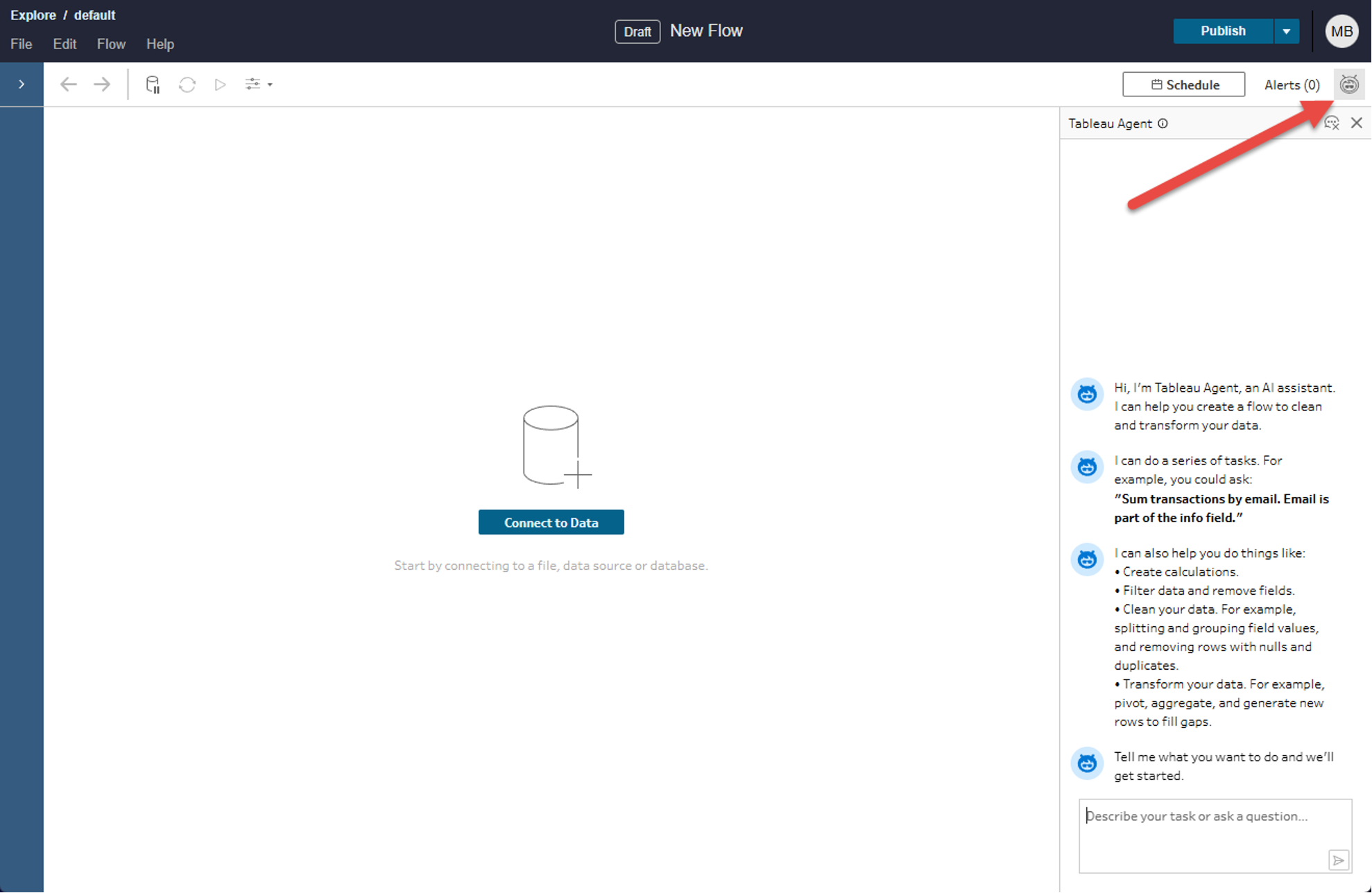
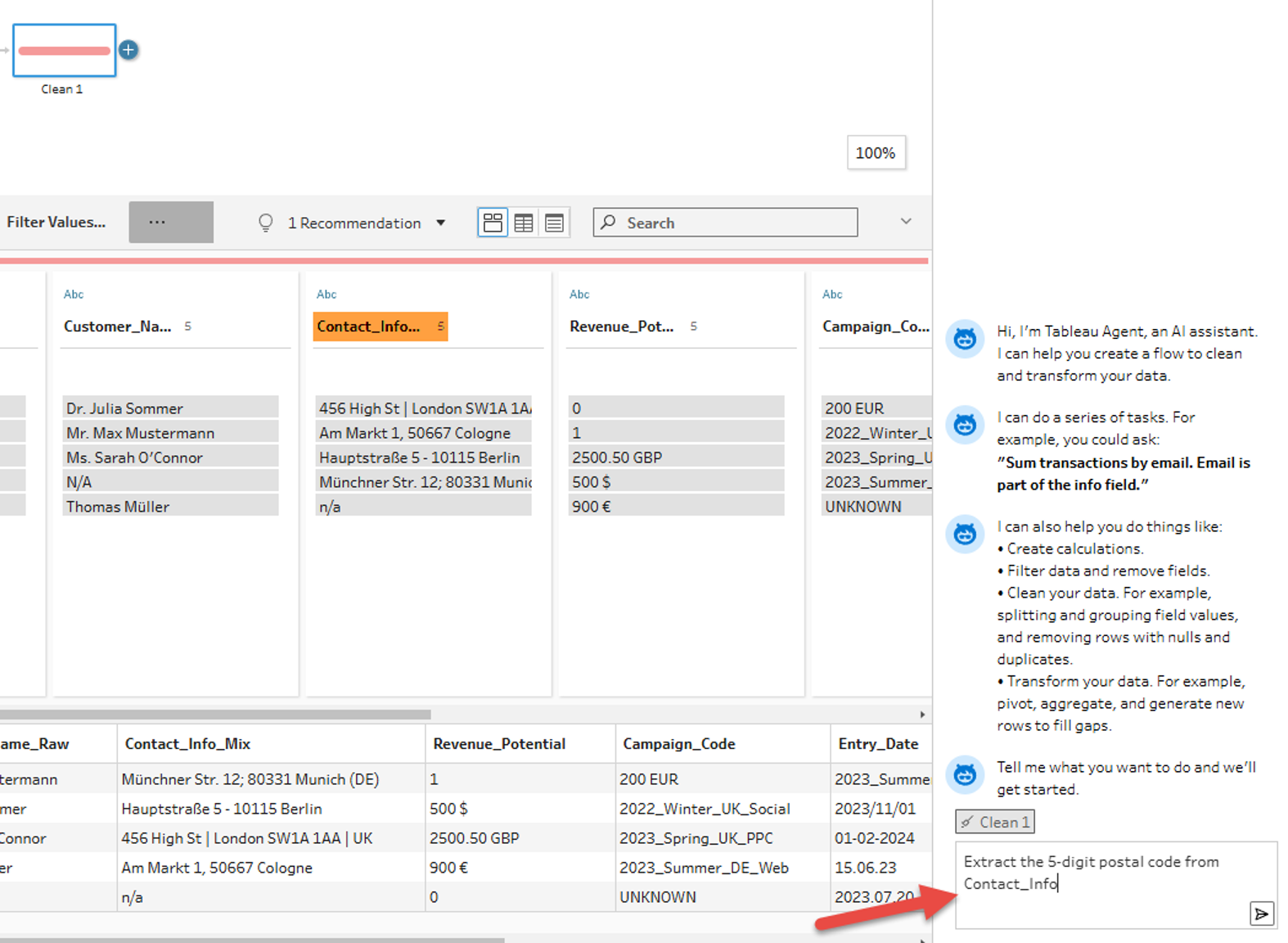
We first open the Tableau Agent via the following symbol in the upper right corner of the editing interface.
Since we want to use the Tableau Agent in the context of data preparation, after connecting our data, we create a new preparation step and select it. Then we send our first Prompt to the Tableau Agent. First, we want to try to extract the 5-digit postal code from the unstructured data—for example, to enable geographic analyses based on the postal code.
After the calculation suggested by the Tableau Agent is adopted and a new field is created (1), an important lesson for Data Engineers is revealed. The Agent identifies the correct pattern, but the preview shows NULLvalues (2). To understand and solve this problem, we can first look at the explanation of the formula created (3) provided by the Tableau Agent.
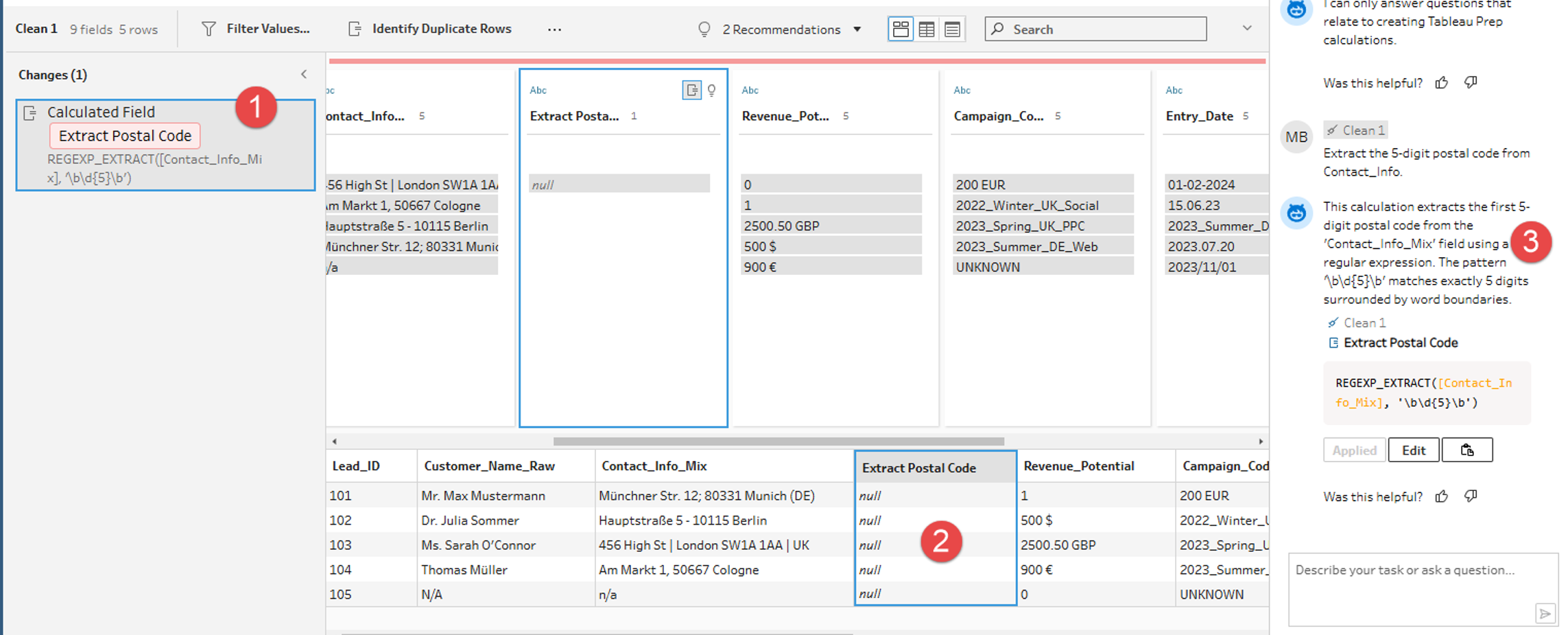
Experienced Tableau developers can note here that the REGEXP_EXTRACT function used by the Tableau Agent in Tableau absolutely requires a so-called "Capturing Group" (set by parentheses) to not just find a value, but also to return it. The AI delivered the correct syntax for the Matching, but not for the Extraktion.
In the first attempt, the Tableau Agent thus provides a good initial approach, but not yet a complete solution. This can be particularly challenging for Tableau users without in-depth technical knowledge.
Refinement and Result: Precision through Context Prompting Context Prompting
To correct the result, we refine our Prompt. We instruct the Agent not only "What" should be extracted (5 digits), but also "How" (concrete extraction of an example). The goal is to generate a correct formula, even if the user lacks in-depth technical knowledge.
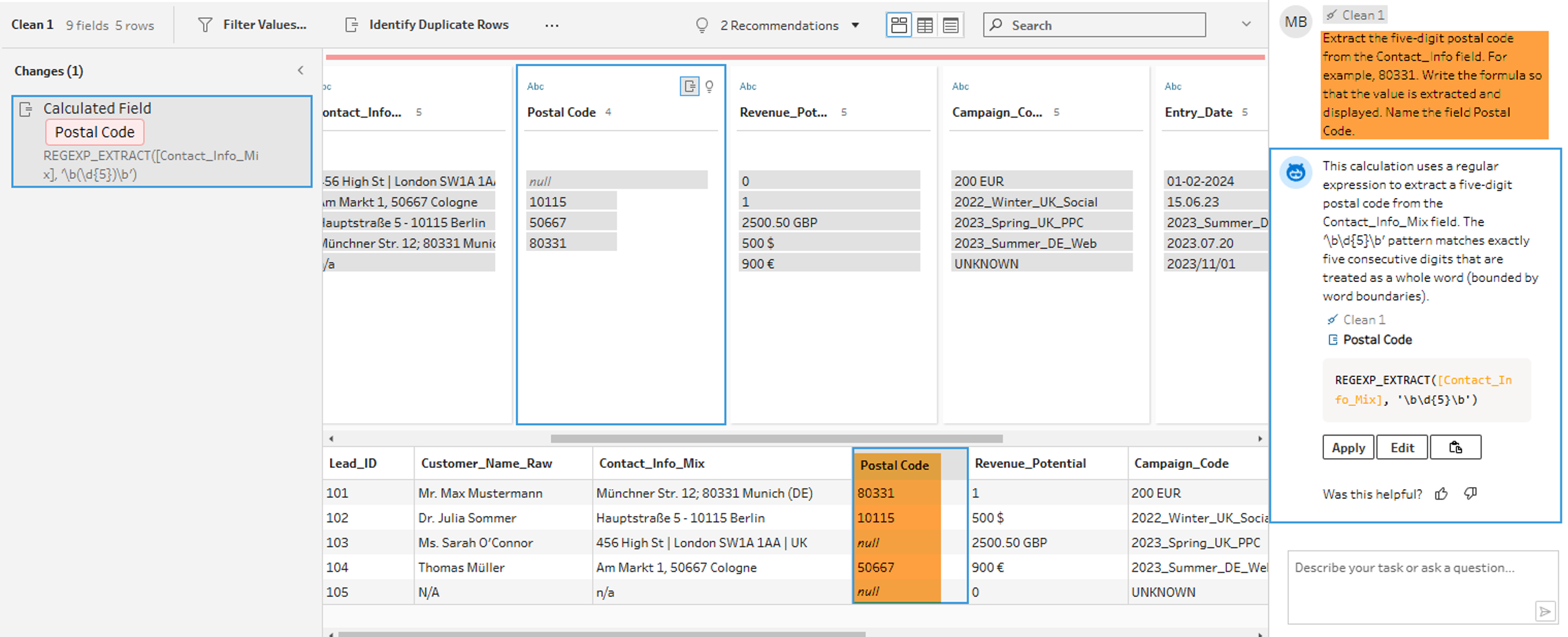
The result: The Agent corrects the formula independently. By setting the parentheses (Capturing Group), the values are now correctly extracted. Postcodes that do not match the pattern correctly remain empty (NULL), which confirms the robustness of the logic.
This example shows that a more precise formulation of Prompts increases the probability that the Tableau Agent will deliver correct results immediately. This is particularly advantageous as no deep technical knowledge is required.
Nesting and Error Handling
In the next step, we test the ability of the Tableau Agent to nest functions. We want to extract the country code and directly replace missing values with a placeholder. This enables us to subsequently carry out evaluations at the state level.
Based on our experience from the first example, we define the prompt as detailed as possible and provide suitable examples to help the Tableau Agent generate a correct result:
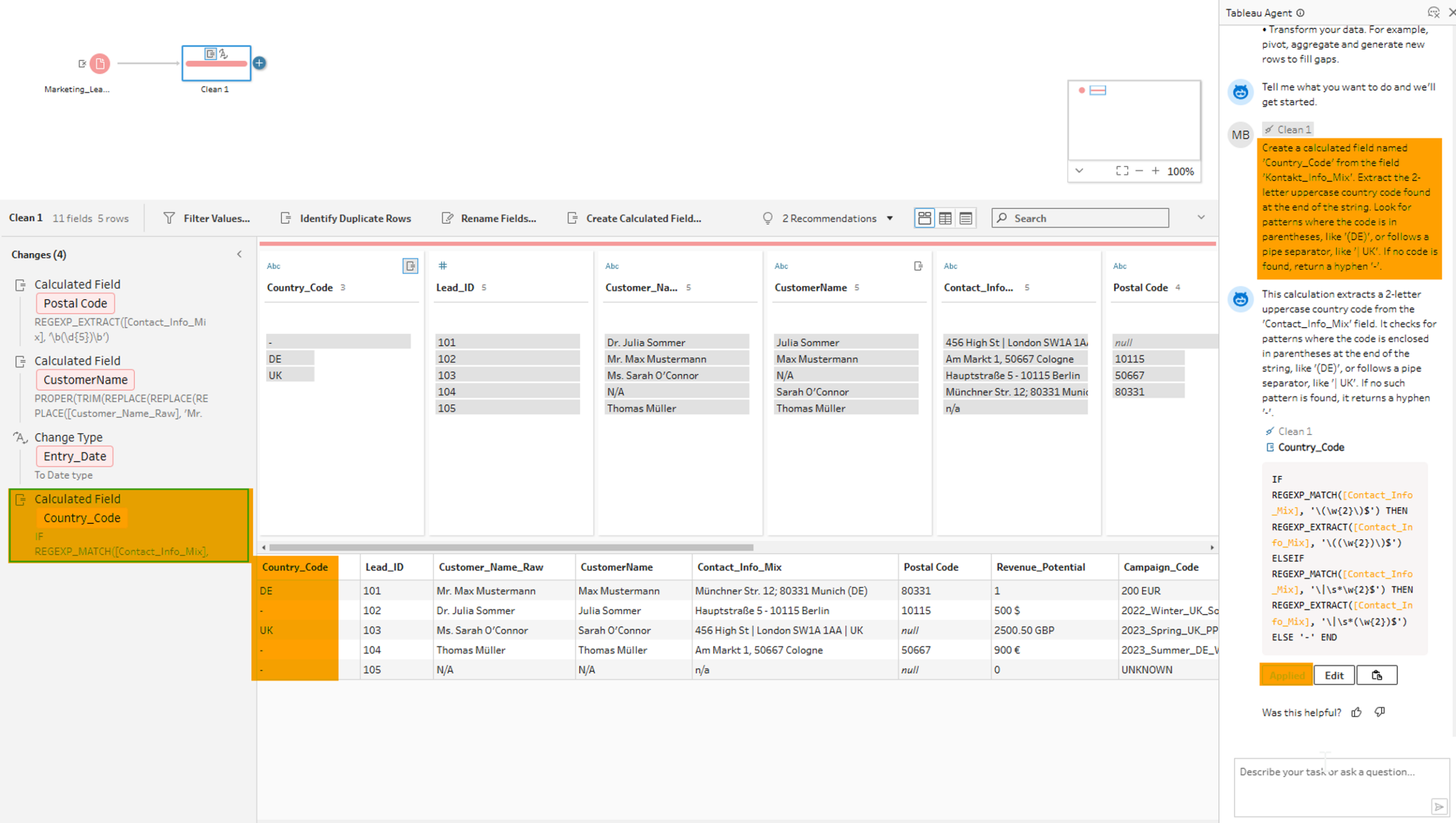
The Agent generates a performant and correct combination of IF, REGEX_MATCH and REGEXP_EXTRACT. As a result, country codes are extracted and a "-" is inserted when the information is missing. The AI takes over not only the pattern recognition but also the correct syntax of the parentheses for the nested functions, a common source of errors in manual entry.
Text Cleaning: Multiple Steps in One
Another good example can be seen in the cleaning of customer names which helps us with structured analysis of the customer data.
The requirement is multi-step:
- Remove salutations (Mr, Mrs, Dr).
- Correct capitalization (Proper Case).
- Remove unnecessary spaces.
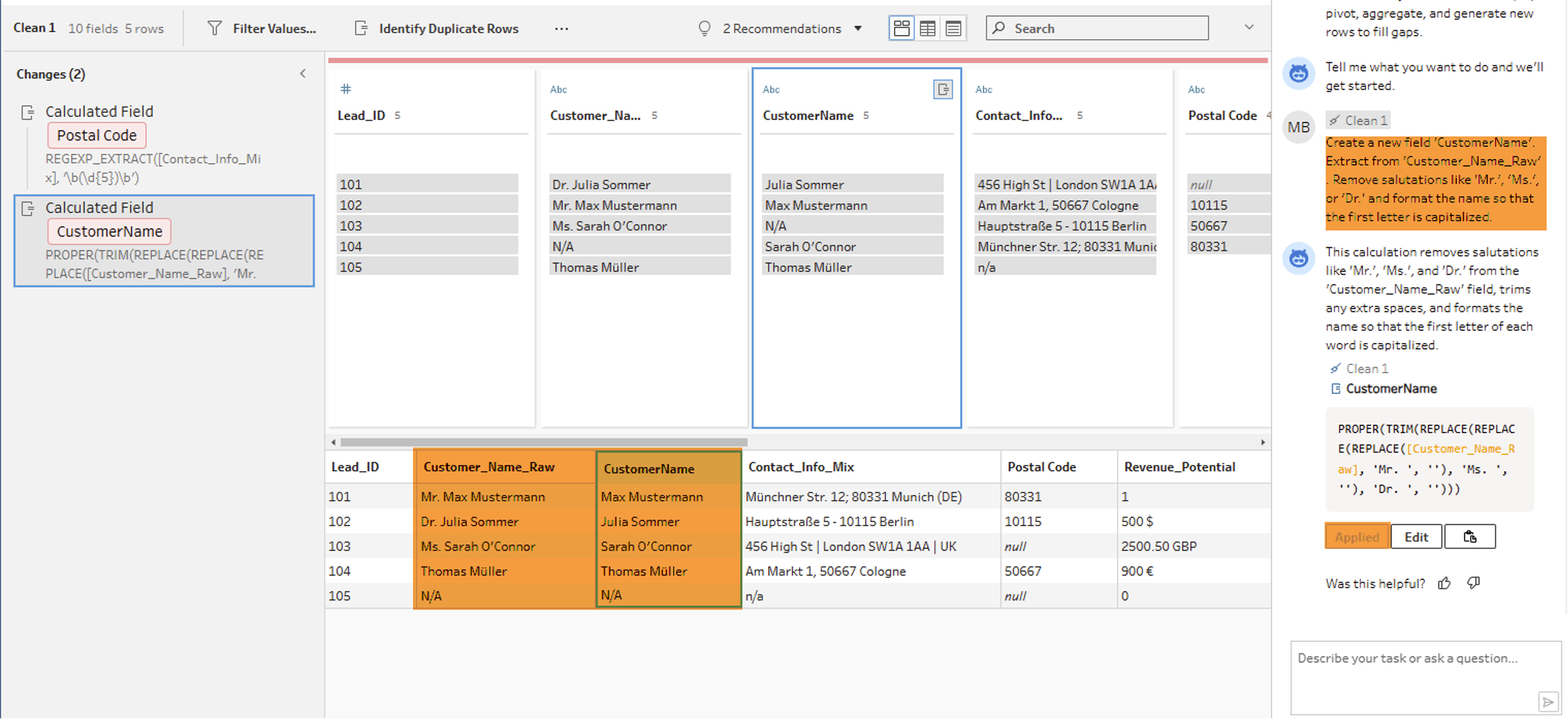
The Agent solves this with a single, multiply nested formula.
Writing this manually would require a deeper understanding of string functions. The Agent delivers the result in seconds.
Setting data types
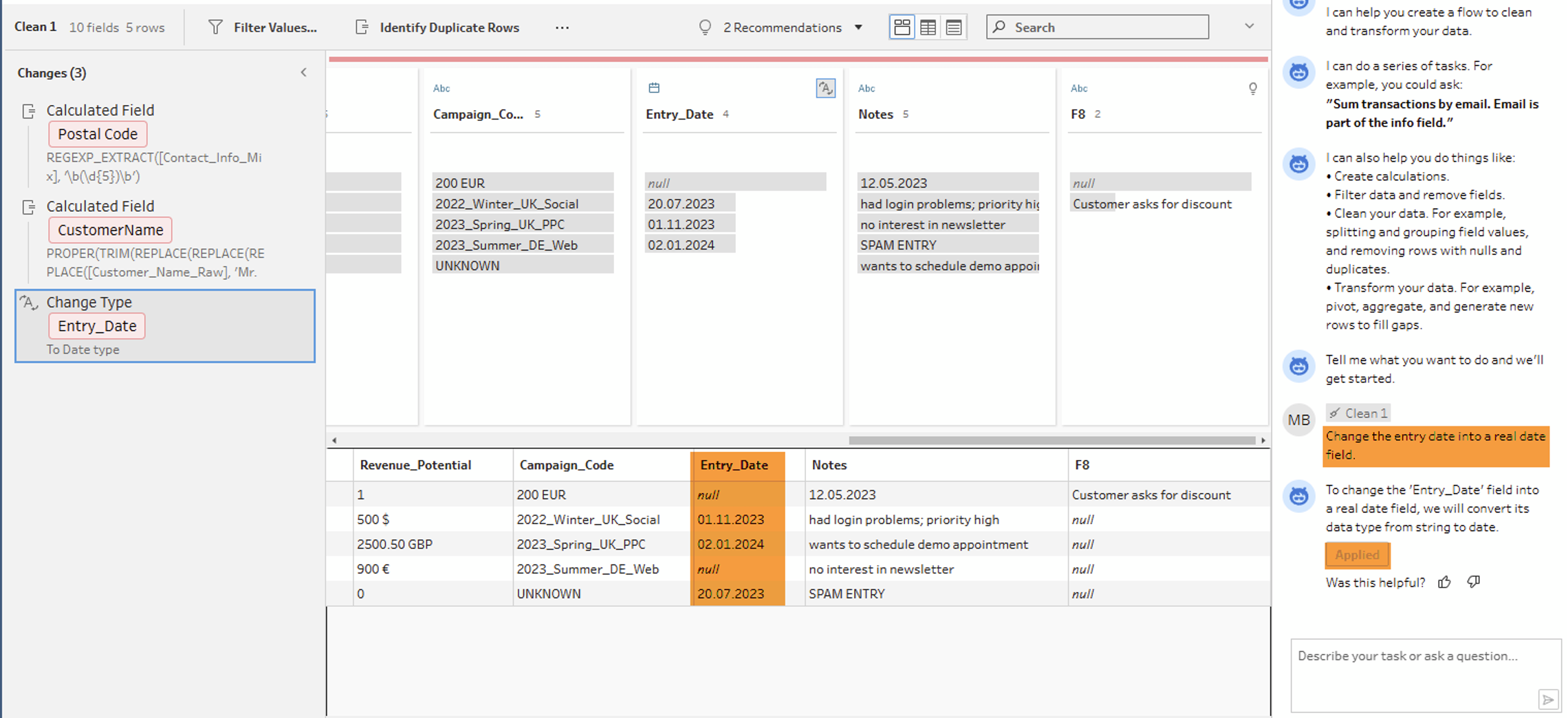
Finally, we ask the Agent to convert the text field "Entry Date" into a real date. This is often helpful in the later development of visualizations, as native date fields can be used more precisely in many cases.
Here too, the AI recognizes the context and performs the type conversion without manual menu clicking.