Introduction
Prerequisites and Technical Environment
To be able to follow these steps yourself, you need a correctly set up Tableau Cloud environment. In the following, we will look at the infrastructure required to use the AI features discussed here and the settings required for this.
System Checklist:
1. Tableau Cloud Instance: Tableau Pulse is currently only available in Tableau Cloud.
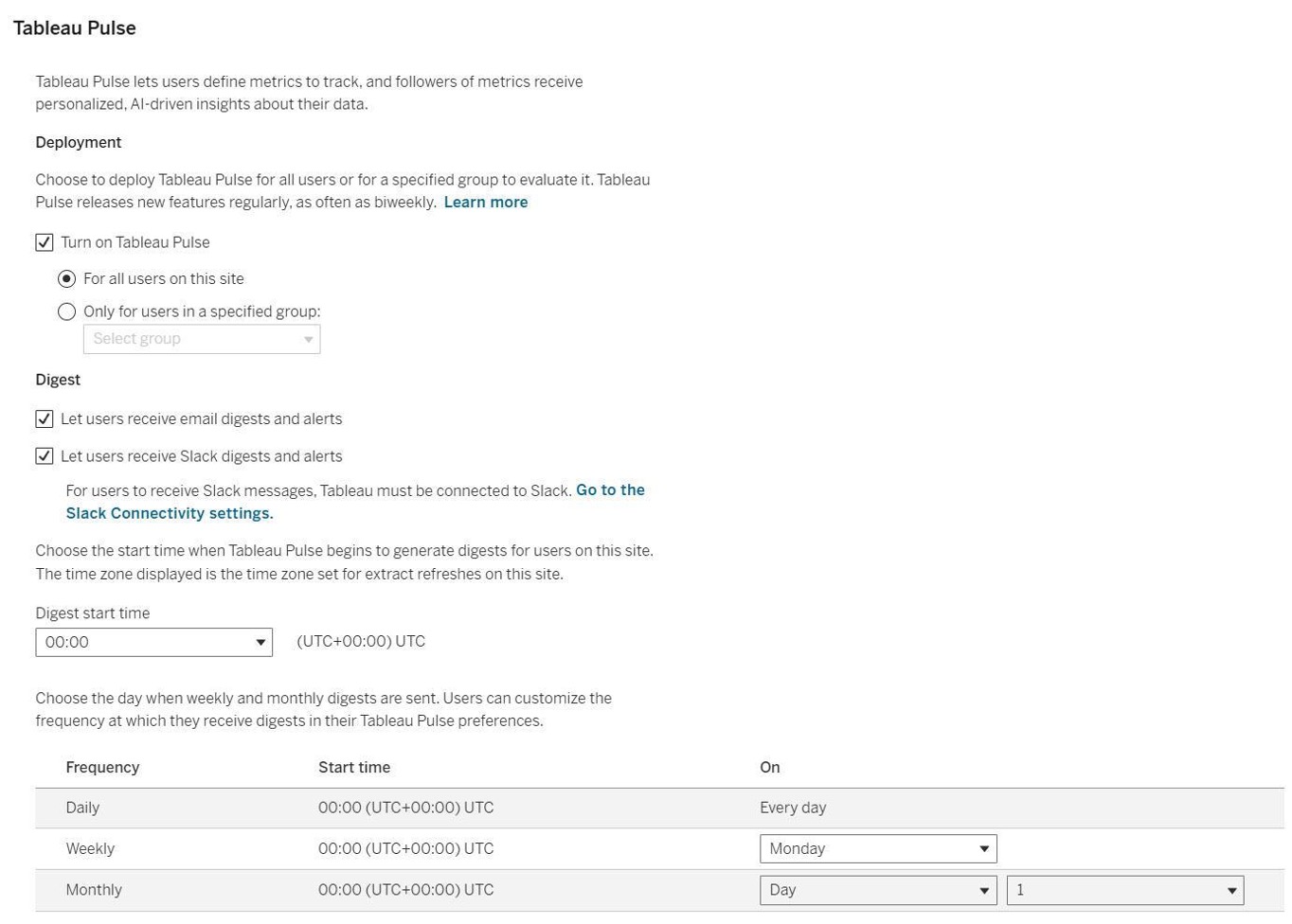
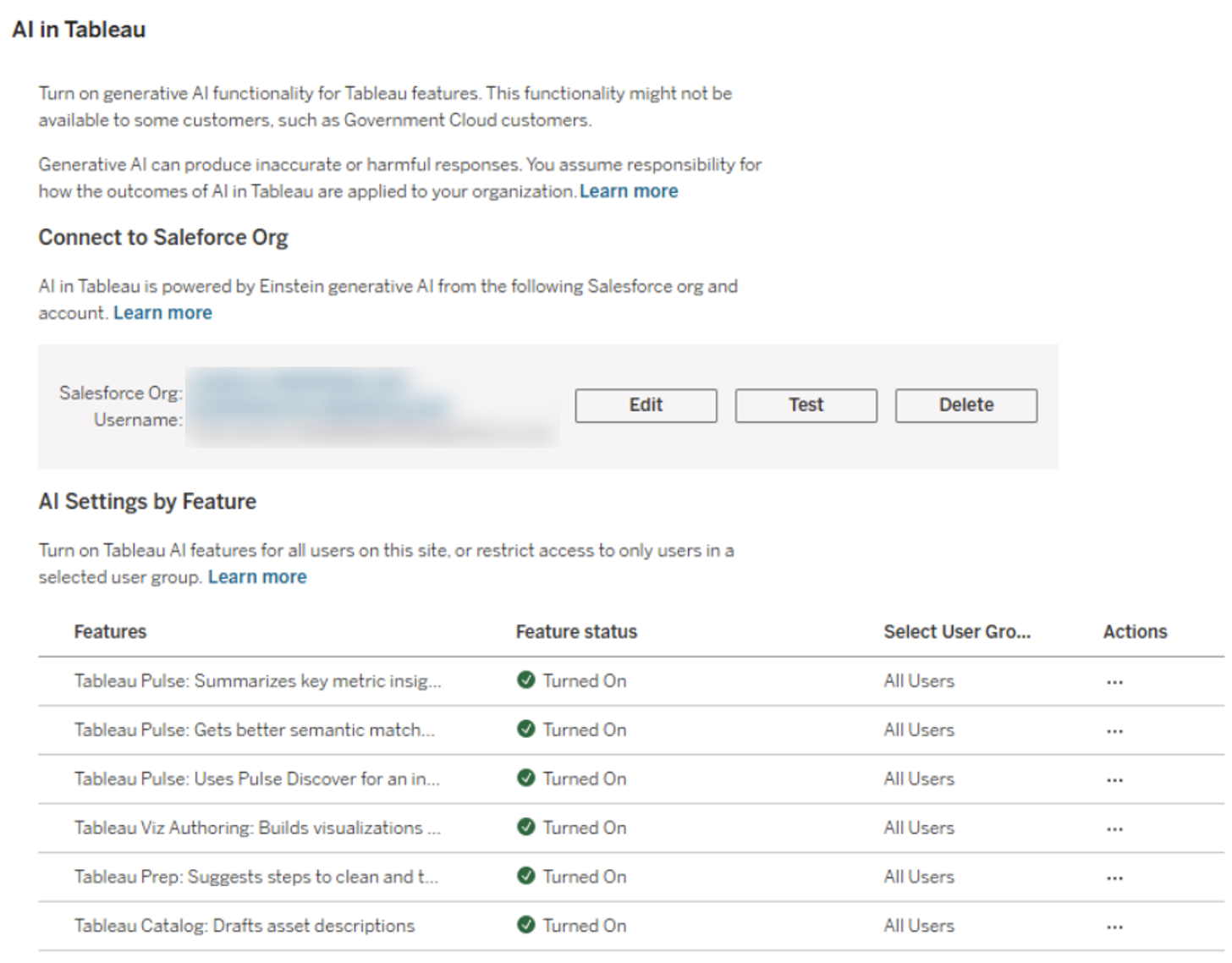
2. Activate AI Functions: The options "Turn on Tableau Pulse" and “Tableau Pulse: Summarizes key metric insights” must be activated.
3. Data Basis: We use the example data source „Sample – Superstore“which is provided as standard by Tableau.
Establishing the Metric Definition (Semantic Layer)
In Tableau Pulse, the workflow begins not with a visualization, but with semantics. We open the Tableau Pulse homepage and create a "New Metric Definition." ." This allows us to determine which metric is relevant to us in a specific context. Tableau then uses AI to provide us with additional information about this metric and its associated characteristics.
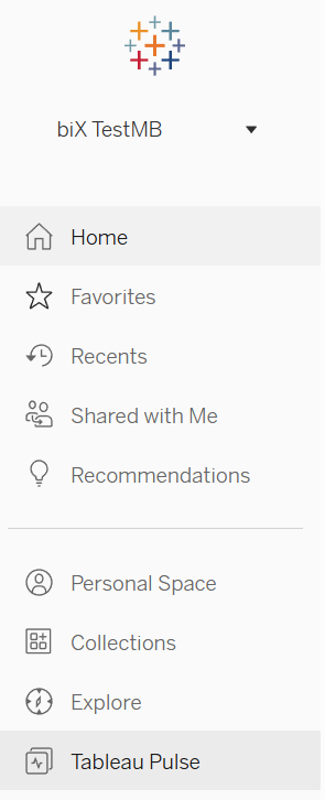
- Open Tableau Pulse, to access the relevant menu.
2. We click on „New Metric Definition“, to start the process of creating a new Metric Definition metric definition.

3. We create the "Core Definition" of the new metric:
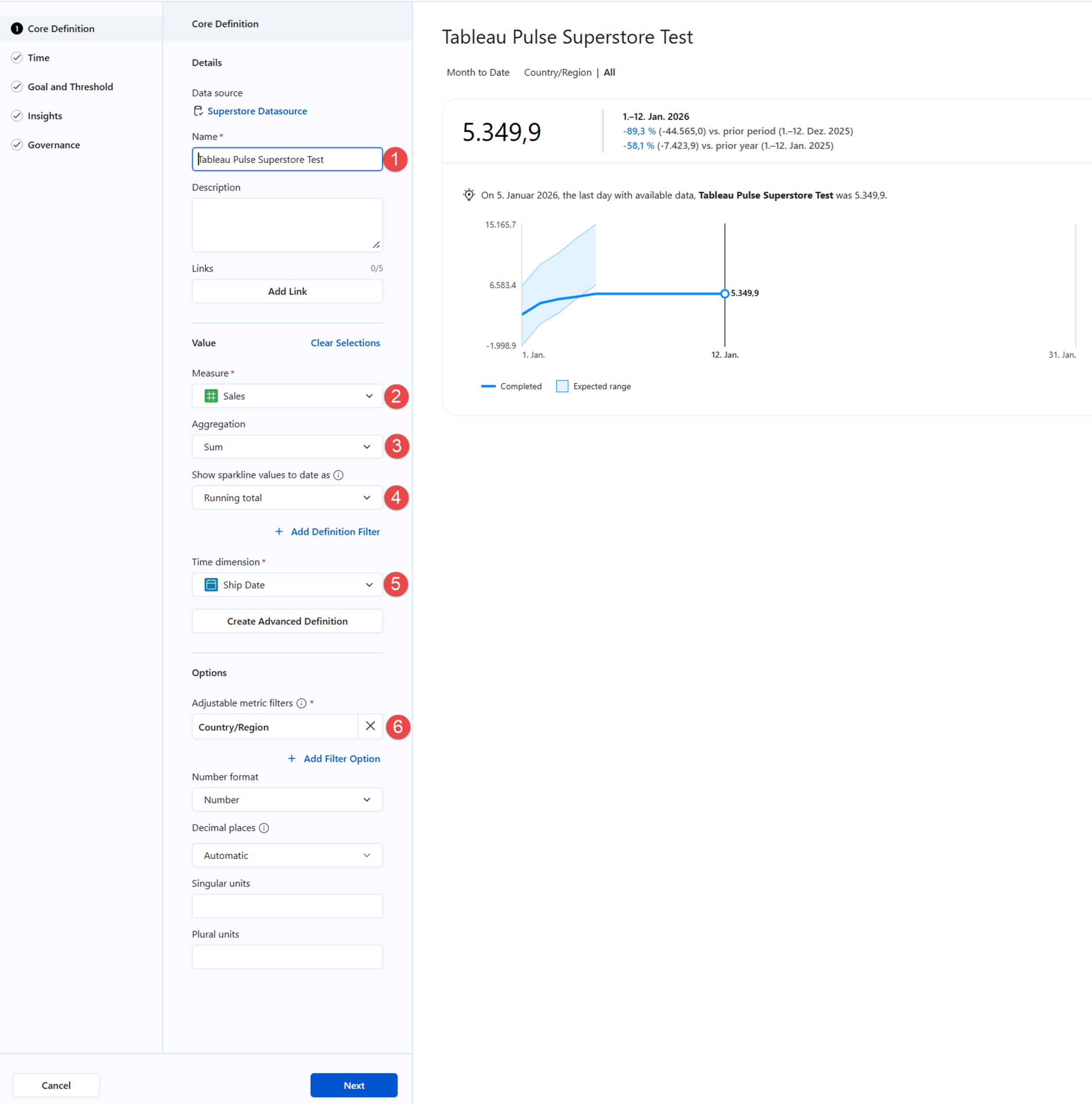
(1) To ensure that the new metric definition can be clearly identified, we assign it a unique name.
Optional: We can use the "Description" field for technical documentation (e.g., "Gross Revenue before Returns"). This metadata is used by the AI to generate context for the end user.
(2) We select the measure to be analyzed about which we want to receive or distribute information.
(3) We select the aggregation type relevant for the chosen measure, i.e., whether values for the key figure should be summed, for example.
(4) We define the logic for the displayed visualization (Sparkline), which e.g. provides comparative values for our key figure.
(5) We define the time dimension (e.g., invoice date, delivery date) over which the metric should be analyzed.
(6) We add one or more filters that can be adjusted by users according to their information needs.
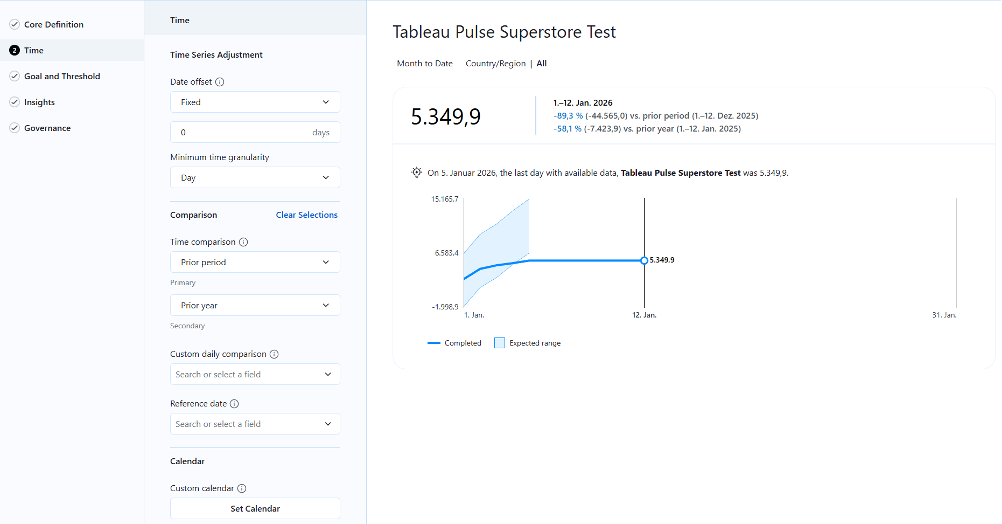
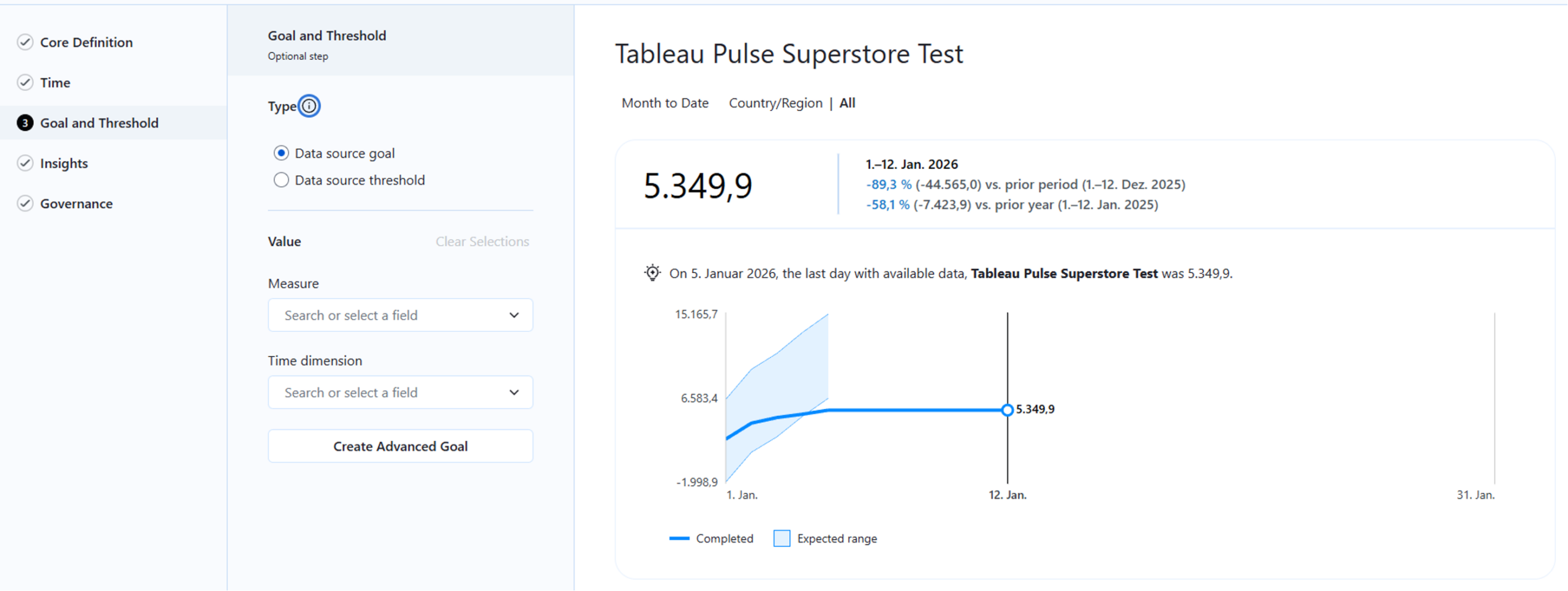
4. We refine the settings for time references, targets, and thresholds to further customize the metric:
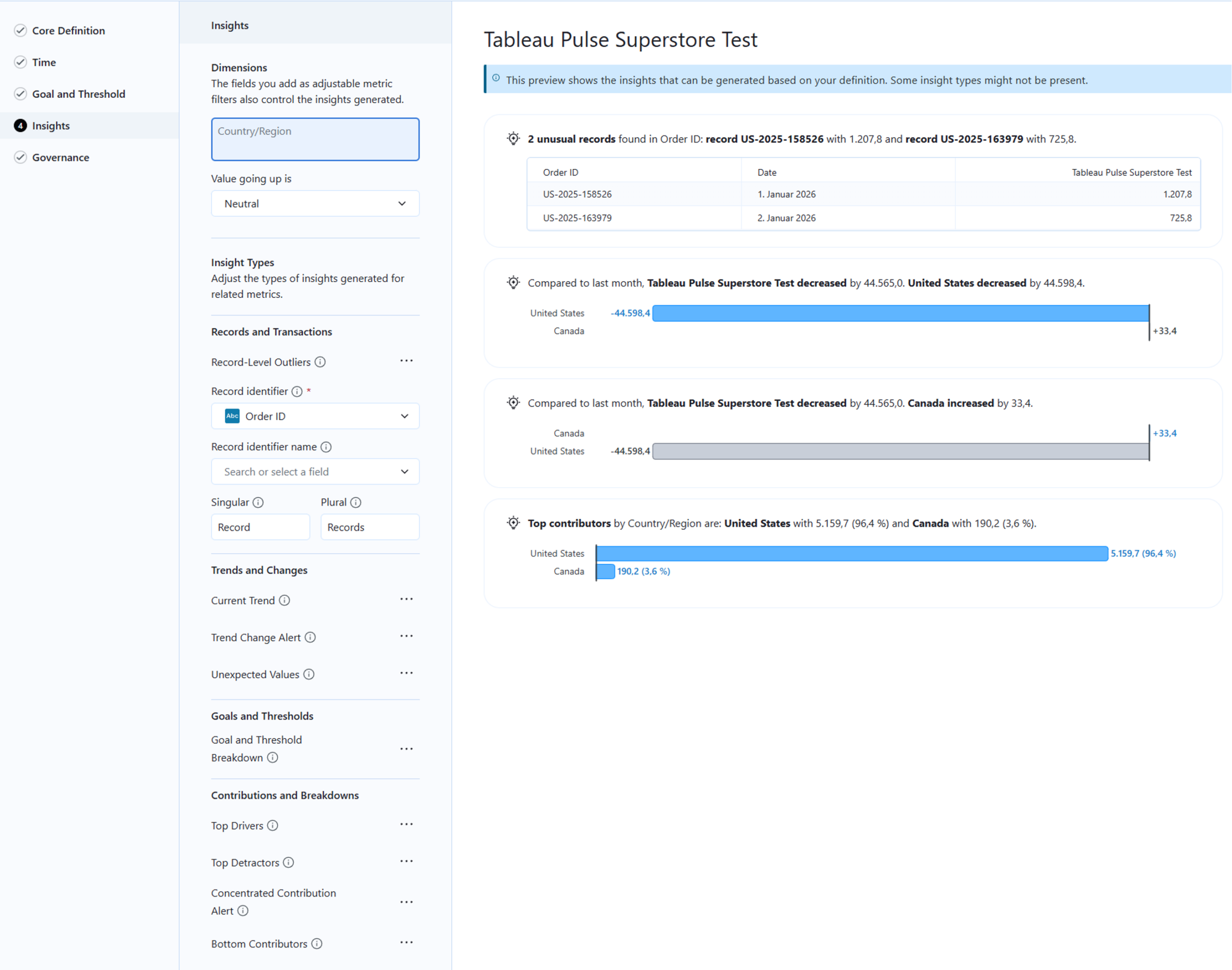
5. In the “Insights” menu, we define the characteristics by which data records can be uniquely identified. This is particularly relevant for identifying outliers - in this case, orders with unusually low or high sales figures.
6. In the “Governance”menu we can see a preview of the metric and define permissions if necessary to control which users have access to the metric:
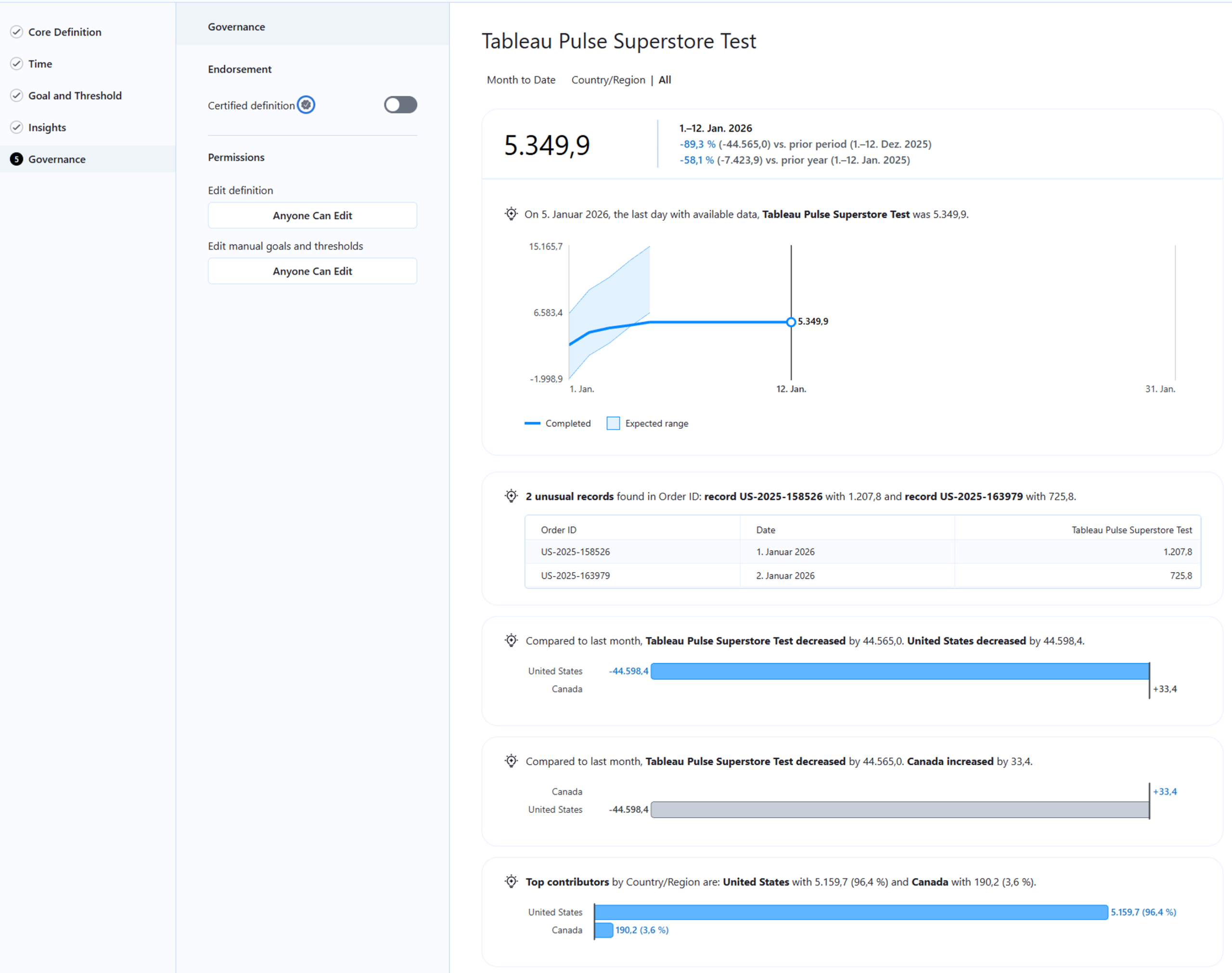
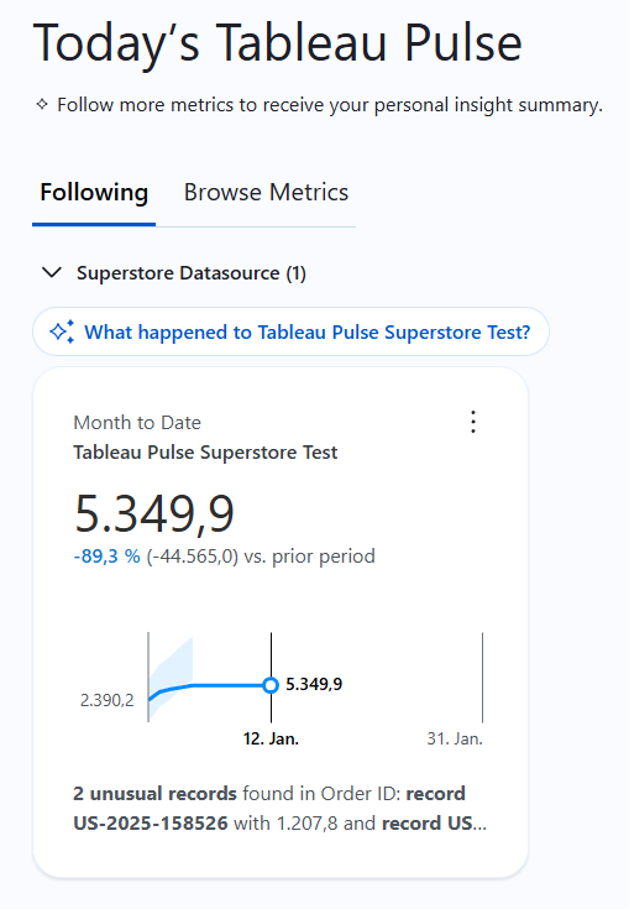
7. Finally, we look at the result in the metrics list in Tableau Pulse:
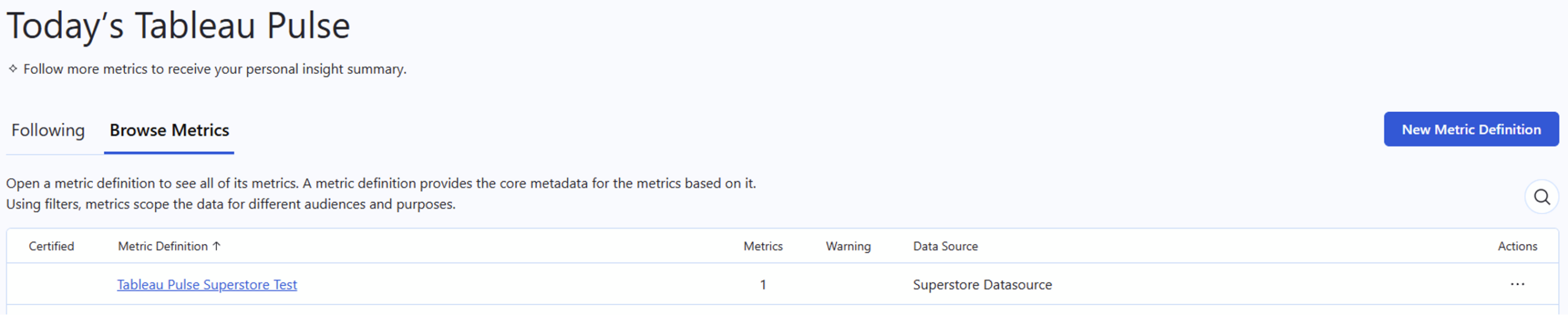
Detailed View of the Generated Metric
Tableau Pulse combines statistical models with generative AI. As soon as you save the definition, the engine begins analyzing anomalies, trends, and drivers. Through this configuration, the system automatically generates the entire calculation logic for comparisons (Prior Period) and trend analyses in the background. This significantly reduces the effort for BI teams, as they do not have to create these analyses, or similar ones, manually. This also enables the “consumers” of the analyzed key figure to potentially identify new dependencies or causalities that influence the key figure.
The detail page of the metric—the result of this AI-supported analysis—provides a summary of the most important data points in natural language.
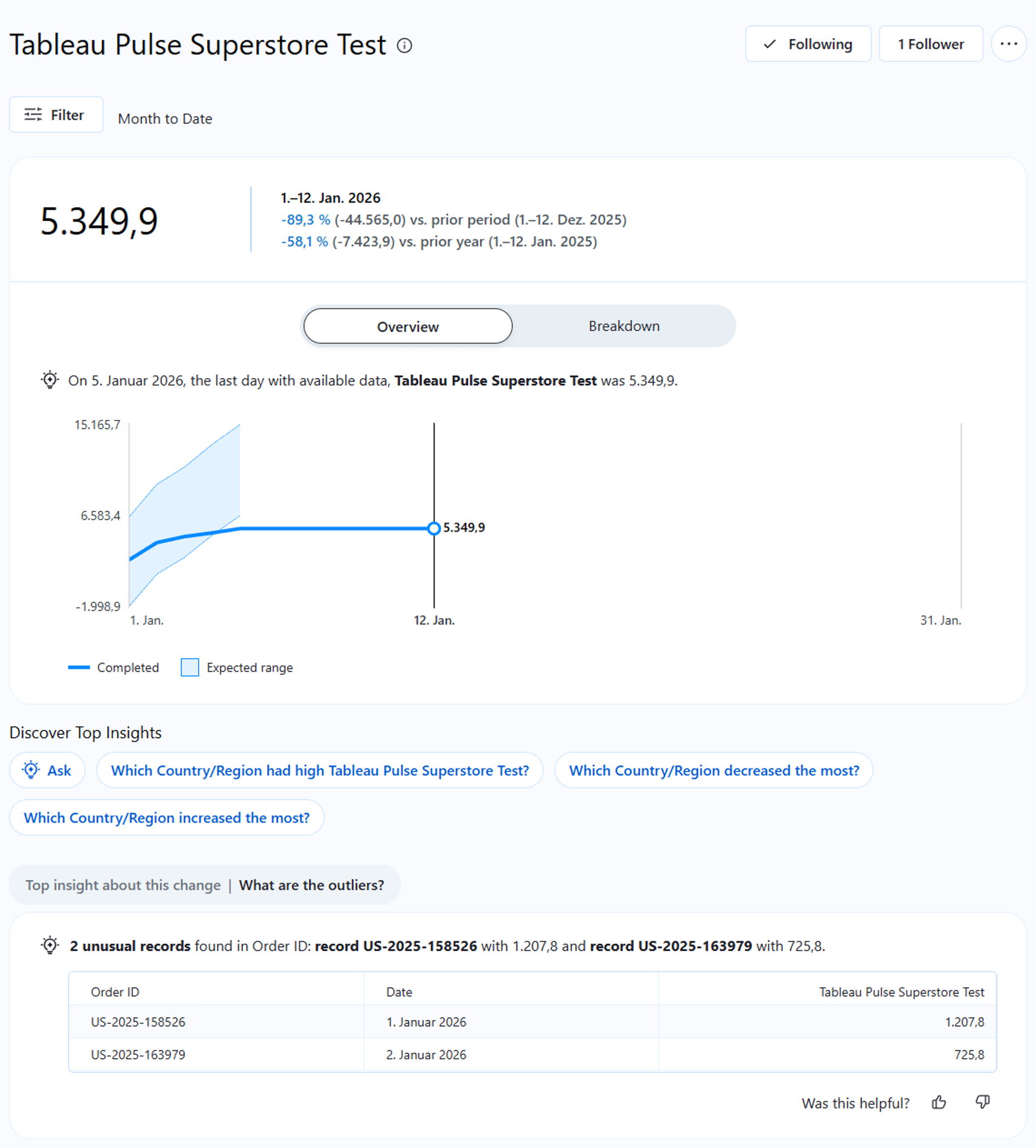
The system automatically generates statements such as: "Revenue has increased by 12%, primarily driven by the 'Technology' category in the 'East' region."
Crucial for IT security and data protection: This analysis takes place within the so-called Einstein Trust Layers . Customer data is not used to train public models. The AI operates exclusively within the context of the defined metric and ensures data sovereignty.
Contextualization through Dimensional Filters
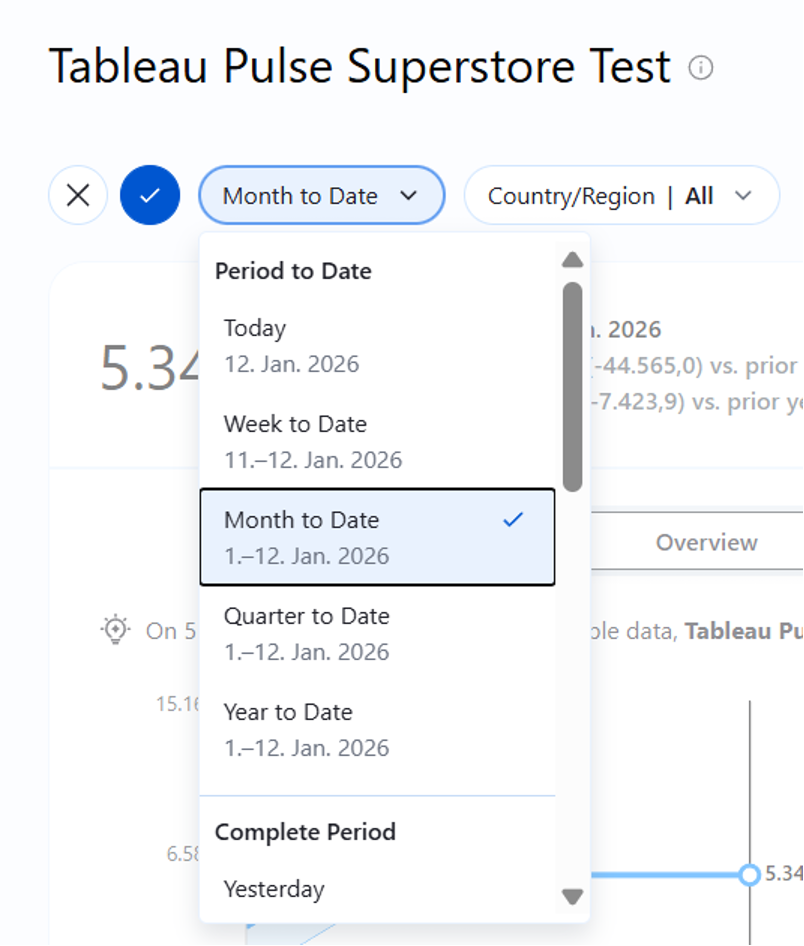
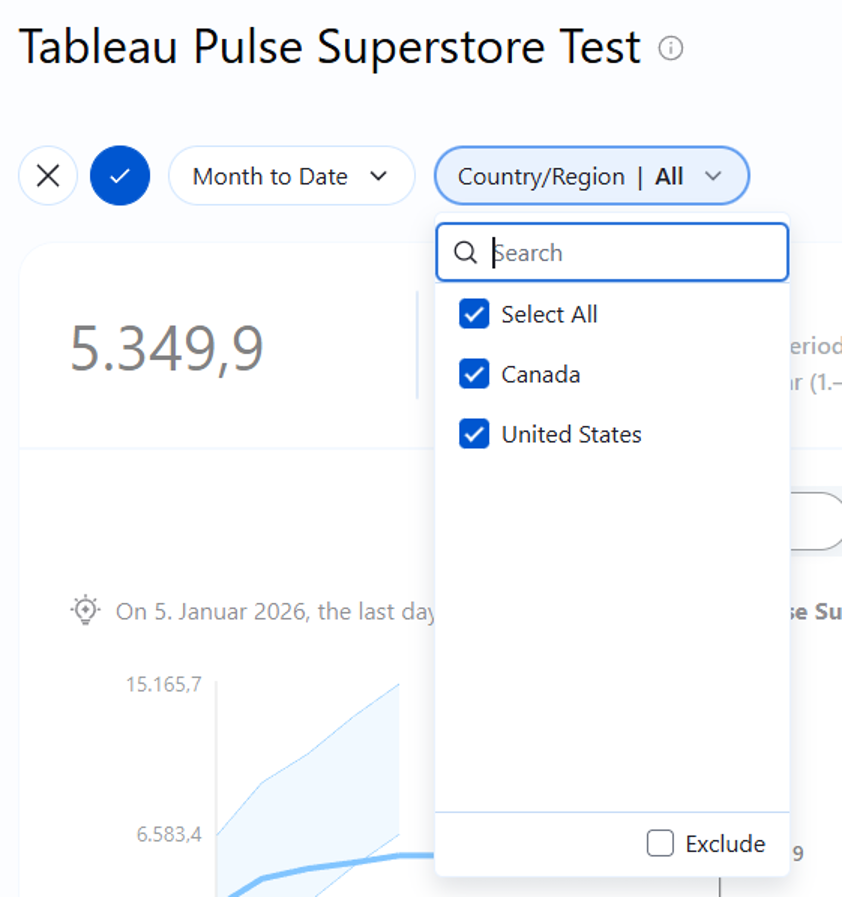
Modern BI architecture avoids redundancy. Instead of creating a separate report for every region or product group, we can set flexible filter contexts within a single metric definition in Pulse.
Thus, the metric can be individualized for different user groups. A regional manager, for example, sees the same Metric Definition as the global sales manager, but filtered by default to their area of responsibility. The data remains consistent, but the view is individualized.
Integration into the Workflow (Mobile & Digest)
Another relevant topic is the distribution of the generated metrics. In the "Headless" scenario, the goal is to bring information exactly where the decision-makers work. This simplifies the evaluation of key figures and thus increases the likelihood that they will actually be considered and used.
Tableau Pulse uses the "Follow" model (a subscription principle):
- We click on“Follow” (Alternative: Followers are added via “Add Followers”) to receive information about this metric in the future.

2. We optionally define personal filters (e.g., only "Country/Region") to customize the metric.
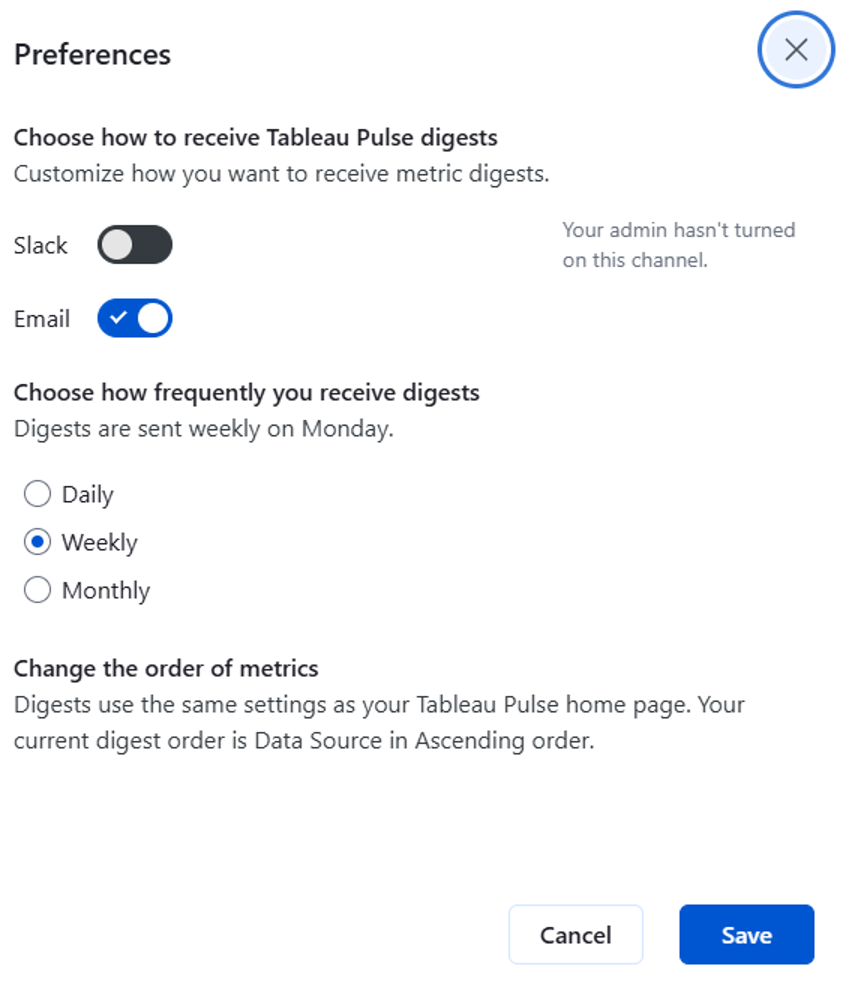
3. Tableau generates periodic summaries which are provided to users who follow the metric.
These "Digests" (Summaries) reach the user via email, Slack, or the Tableau Mobile App. They contain not only the current value but also the AI-generated trend assessment. The dashboard thus moves from being the primary monitoring tool to an optional diagnostic tool for drill-down.
We can use a corresponding settings menu to define in detail how and via which channel "Digests" should be provided - depending on when the key figures are needed by their “consumers.” abhängig davon, wann die Kennzahlen von ihren „Konsumenten“ benötigt werden.
In the metric overview, we can also view a short summary of the metric: